Custom Exchange Adjustments
Last updated: May 19, 2026
Description
Custom Exchange Adjustments fix the "Refund Owed" issue on Shopify
When a customer makes a return, the system removes the sales value from the original order. Because the customer already paid for the full order, the Paid Total becomes greater than the Sales Total, causing the portal to incorrectly show that a refund is owed. This feature manually balances those totals.
Target Audience: Legacy exchange merchants who do not use the Exchange API.
Goal: Corrects order financials so the portal accurately reflects the correct balance instead of an erroneous refund prompt. This led to an issue with CX agents refunding already refunded orders.
CRITICAL ELIGIBILITY RULE
This adjustment is intended mostly for even exchanges, but does work if there is a partial refund to the original payment method. If the customer is receiving a partial refund for an exchange in Store Credit, this does not fix that issue. See the Store Credit Exceptions section below.
How It Works
When a legacy merchant processes an exchange outside of the API:
The return decreases the order's sales volume.
The system triggers a "Refund Owed" status because Paid Amount > Current Sales.
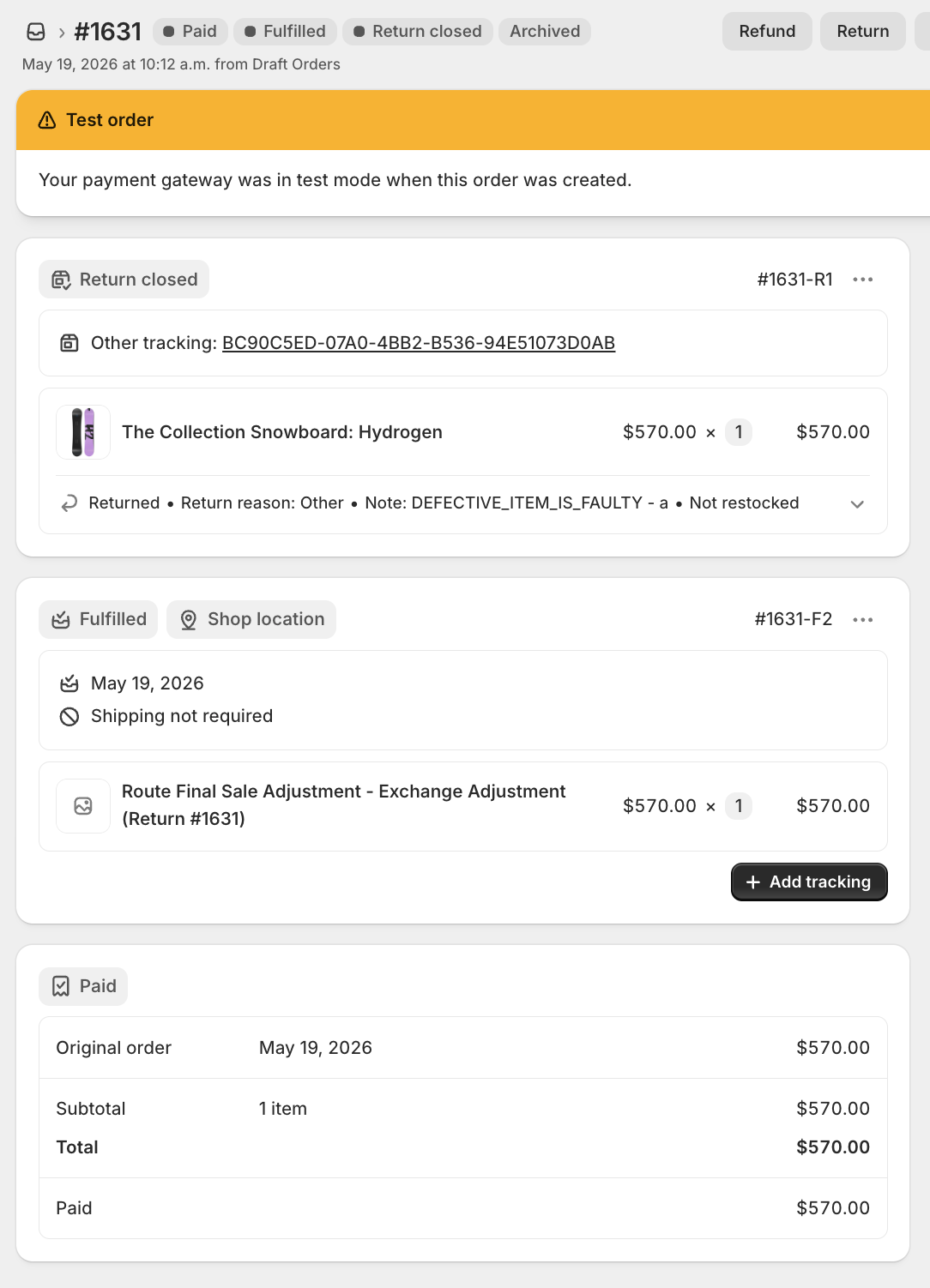
A Custom Exchange Adjustment is applied to the order as a line item to artificially balance the books, offsetting the paid amount and clearing the "Refund Owed" alert.
Here is how it should look like from the customer side (as you can see there is no "Refund Owed" banner)
Frequently Asked Questions (FAQ)
Questions
Does this impact financial reporting?
Yes. These adjustments will register as sales when previously they were not registered as sales.
Troubleshooting & Support
Issue: The order still says "Refund Owed" after applying the adjustment.
Resolution: Double-check the math. The adjustment amount must exactly match the difference between the Paid Total and the new Sales Total.
Store Credit Exceptions
When a customer opts for an exchange along with a partial refund to store credit, the store credit balance will still show up on the system as “Refund Owed”. This extends to “Refund Owed” for only store credit refunds.
This stems from the fact that in order for store credit to be recognized in transactions they need to use the Shopify Native Store Credit feature.